








Website Maintenance Packages in India: What’s Typically Included and How to Compare (2026)
Last updated: January 2026 · 12-minute read · By GA Digital Solutions, Hyderabad
Website maintenance packages in India vary enormously in scope, quality, and price — and the marketing language used to describe them often makes it very difficult to compare like with like.
Two providers may both offer a “monthly maintenance plan” at broadly similar prices. One may include staged updates, daily backups, 24/7 monitoring, security scanning, and a detailed monthly report. The other may include periodic content updates and a vague promise to “keep your site running.”
This guide cuts through that ambiguity. It explains what maintenance packages typically contain across tiers, what terms mean in practice, and how to compare packages on the dimensions that actually matter.
What a Maintenance Package Is — and What It Is Not
A website maintenance package is a predefined set of services provided on a recurring basis — typically monthly — in exchange for a fixed fee. It is distinct from: ad-hoc developer support (reactive, per-task), web hosting (keeps files on a server), website development (builds or changes the site), and domain registration.
A true maintenance package is proactive — it includes scheduled work to prevent problems, not just fix them. That distinction between proactive and reactive is the most important thing to clarify when evaluating any package.
The Three Package Tiers in the Indian Market
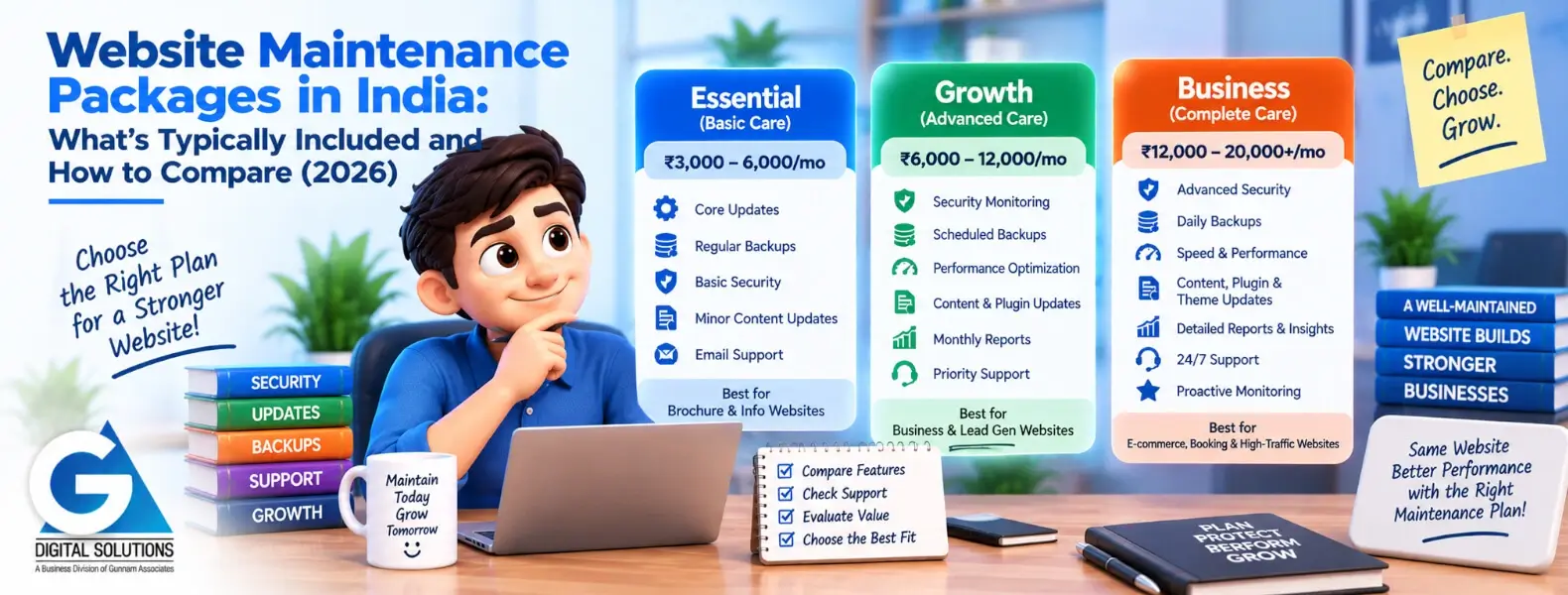
Most professional providers in India offer packages that fall into three broad tiers. Understanding these tiers helps you map any provider’s offering to a meaningful standard of service.
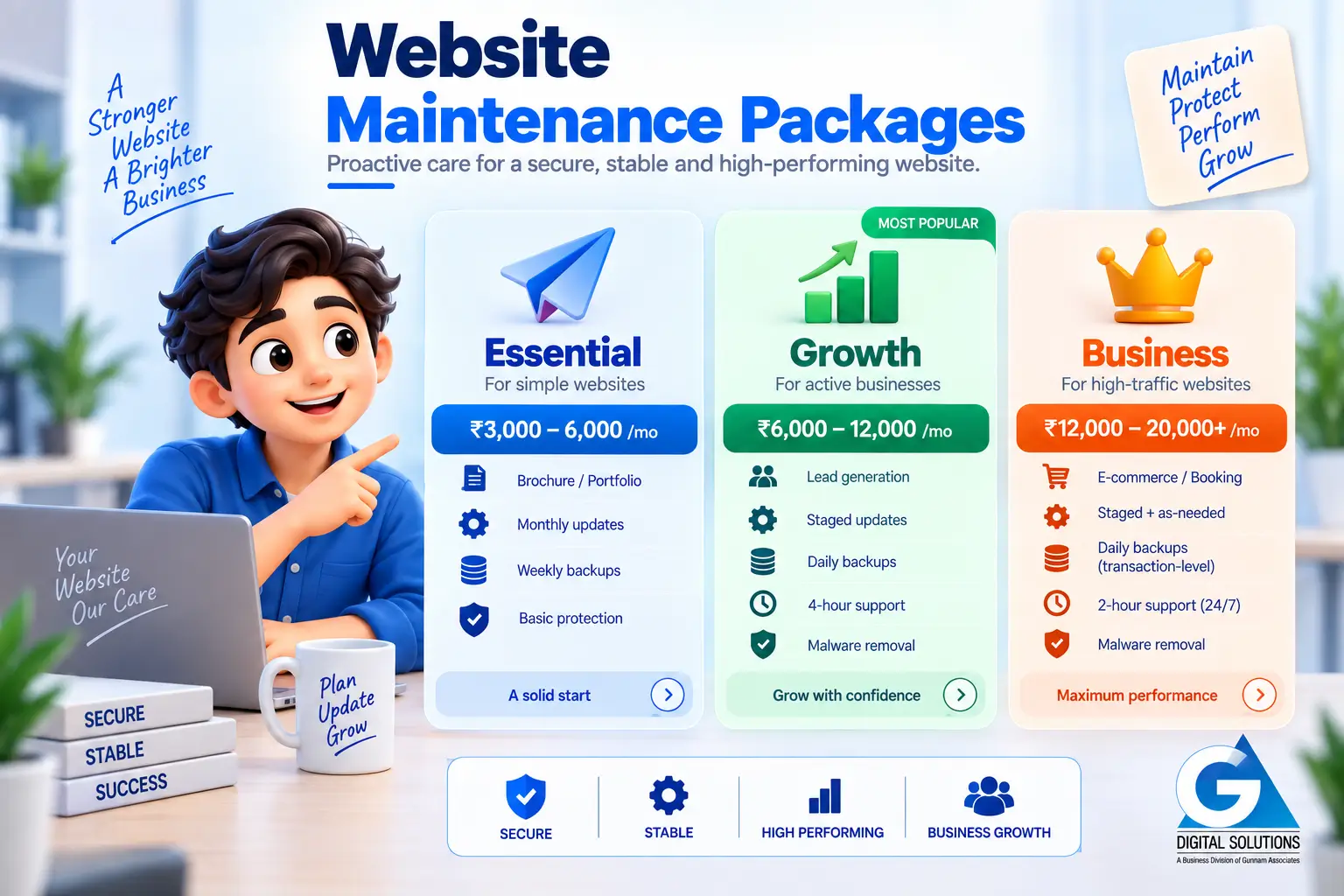
| Feature / Aspect | Tier 1: Essential | Tier 2: Growth | Tier 3: Business |
|---|---|---|---|
| Typical price | ₹3,000–6,000/mo | ₹6,000–12,000/mo | ₹12,000–20,000+/mo |
| Best for | Brochure, portfolio, info sites | Active lead-gen and service sites | E-commerce, booking, high-traffic |
| Update method | Monthly (may be direct) | Monthly staged + tested | Monthly staged + as-needed |
| Backup frequency | Weekly | Daily | Daily (transaction-level) |
| Emergency SLA | Best effort / business hours | 4-hour SLA | 2-hour SLA, 24/7 |
| Malware removal | Extra charge typically | Included | Included |
| Monthly report | Basic summary | Detailed task report | Full analytics + performance |
Full Feature Matrix: What to Expect at Each Tier
This matrix maps every standard maintenance feature against what you should expect at each tier. Use it when evaluating a specific provider’s offering to identify gaps.
Key: ✓ = Included as standard | ✕ = Not included / extra charge | ▲ = Partial or limited version of the feature
Security
| Feature | Essential | Growth | Business | Notes |
|---|---|---|---|---|
| Monthly security scan | ✓ | ✓ | ✓ | Standard in all plans |
| Malware removal (if needed) | ✕ | ✓ | ✓ | Essential tier = extra charge typically |
| Login protection / brute force | ▲ | ✓ | ✓ | Basic plugin at Essential; full config at Growth+ |
| Firewall configuration | ✕ | ▲ | ✓ | Partial at Growth; full hardening at Business |
| SSL certificate monitoring | ✓ | ✓ | ✓ | Standard in all plans |
| Quarterly security audit | ✕ | ✓ | ✓ | Not standard at Essential tier |
| Post-hack recovery included | ✕ | ✓ | ✓ | Critical differentiator between tiers |
Updates & Software
| Feature | Essential | Growth | Business | Notes |
|---|---|---|---|---|
| CMS core updates | ✓ | ✓ | ✓ | All plans; staging required for quality |
| Plugin updates (staged) | ▲ | ✓ | ✓ | Essential may not always use staging |
| Theme updates (staged) | ▲ | ✓ | ✓ | Essential may apply direct; higher risk |
| Compatibility testing pre-live | ✕ | ✓ | ✓ | Staging environment required |
| Update rollback capability | ▲ | ✓ | ✓ | Depends on backup recency at Essential |
Backups & Recovery
| Feature | Essential | Growth | Business | Notes |
|---|---|---|---|---|
| Automated backups | ✓ | ✓ | ✓ | Standard; frequency varies by tier |
| Backup frequency | Weekly | Daily | Daily | E-commerce needs daily minimum |
| Off-site storage | ▲ | ✓ | ✓ | Essential may use same-server storage |
| Restorability tested | ✕ | ✓ | ✓ | Critical but often absent at Essential |
| Retention period | 30 days | 60 days | 90 days | Longer = better recovery options |
Performance & SEO Health
| Feature | Essential | Growth | Business | Notes |
|---|---|---|---|---|
| Uptime monitoring (24/7) | ✓ | ✓ | ✓ | Standard in all plans |
| Page speed check | ▲ | ✓ | ✓ | Essential = periodic; Growth+ = monthly |
| Database optimisation | ✕ | ✓ | ✓ | Not typically at Essential tier |
| Core Web Vitals monitoring | ✕ | ✓ | ✓ | Quarterly minimum at Growth+ |
| Broken link scan | ✓ | ✓ | ✓ | Standard; monthly recommended |
| SEO technical health check | ✕ | ▲ | ✓ | Quarterly at Growth; monthly at Business |
Content & Reporting
| Feature | Essential | Growth | Business | Notes |
|---|---|---|---|---|
| Content updates included | ✕ | ▲ | ✓ | Essential = none; Growth = up to 2 hrs; Business = 4 hrs |
| Monthly written report | ▲ | ✓ | ✓ | Essential = basic email; Growth+ = full report |
| WhatsApp access | ✕ | ✓ | ✓ | Often absent at Essential tier |
| Dedicated account manager | ✕ | ▲ | ✓ | Named contact at Growth; dedicated at Business |
| Form / conversion point test | ▲ | ✓ | ✓ | Critical for lead-gen sites |
The ▲ (partial) rating is the most important to scrutinise. Partial features are the ones most likely to fail you when you need them. Always ask: “How exactly do you apply updates? What does your backup process involve? Can I see a sample monthly report?”

Which Package Is Right for Your Business?
The right tier is not about budget alone — it is about matching the package scope to the risk profile of your website.
Brochure website for a consulting or professional services firm
Stable content, low traffic, no e-commerce or booking. Credibility-focused.
Recommended: Essential
Low traffic and stable content mean weekly backups and monthly updates are sufficient. Priority: SSL monitoring and malware scanning to protect brand reputation.
Lead-generating website for a real estate developer
Active enquiry forms, regular content updates, moderate traffic from campaigns.
Recommended: Growth
Active forms must be monitored weekly. Campaign traffic makes performance and uptime business-critical. Daily backups protect lead data. Staged updates essential during active campaign periods.
Clinic or healthcare practice website with online booking
Appointment booking, patient trust critical, moderate-to-high local search traffic.
Recommended: Growth to Business
Booking system uptime is directly tied to patient acquisition. 4-hour SLA minimum. Security is a trust issue. Monthly Core Web Vitals checks support local SEO performance.
E-commerce store with up to 500 products
Active transactions, product updates, seasonal campaigns, payment gateway.
Recommended: Business
Every hour of downtime = lost revenue. Transaction-level daily backups. 2-hour emergency SLA. Payment gateway monitoring. Weekly performance checks to protect conversion rates.
School or coaching institute during admissions season
Enquiry forms critical during admissions (Jan–March, June–July).
Recommended: Growth (upgraded during admissions)
Standard Growth plan for most of the year. Temporary upgrade to Business-tier SLA and monitoring during peak admissions periods when uptime is most critical.
Portfolio or personal website for a creative professional
Minimal functionality, infrequent updates, no transactions.
Recommended: Essential or structured DIY
The risk profile is low. Essential plan covers core protection. A careful DIY setup with a reliable backup plugin and free uptime monitoring is also reasonable.
Newly launched website for a small business
New to digital, modest budget, 1–2 forms, modest traffic.
Recommended: Essential
Start with Essential to establish baseline protection. Review at 6 months — if lead volume grows and the website becomes more business-critical, upgrade to Growth.
How to Compare Two Packages Side by Side
When you have quotes from two or more providers, use this four-step framework. Price should be the last thing you compare, not the first.
Step 1: Map each quote to the feature matrix
Go through each feature and mark whether the provider’s plan includes it, partially includes it, or excludes it. A plan that appears cheaper may exclude five features that the other includes — and those features are exactly what protect you in an incident.
Step 2: Identify non-negotiables for your site type
For your specific website, identify the three or four features that are non-negotiable. E-commerce: daily off-site backups, malware removal included, 2–4-hour emergency SLA. Clinic site: uptime monitoring, staged updates, form testing. If a package excludes your non-negotiables, it is not the right fit regardless of price.
Step 3: Ask what partial features mean in practice
When a feature is listed as “included” with limited scope — like a “monthly report” that is a three-line email — ask for a sample. The gap between what is claimed and what is delivered is widest in reporting and communication features.
Step 4: Calculate the true comparison cost
If Package A is ₹5,000/month and includes malware removal, and Package B is ₹3,500/month but charges ₹30,000+ for malware removal separately — Package A costs ₹60,000/year, Package B costs ₹42,000 + incident cost. One incident on Plan B makes it more expensive. True comparison requires accounting for what is included vs. what is billed additionally.
→ Not Sure Which Package Your Website Needs? Get a Free 20-Point Audit and a Recommendation
We review your website, assess its risk profile, and recommend the right maintenance tier — with no obligation. Free, within 2 business days.
Frequently Asked Questions
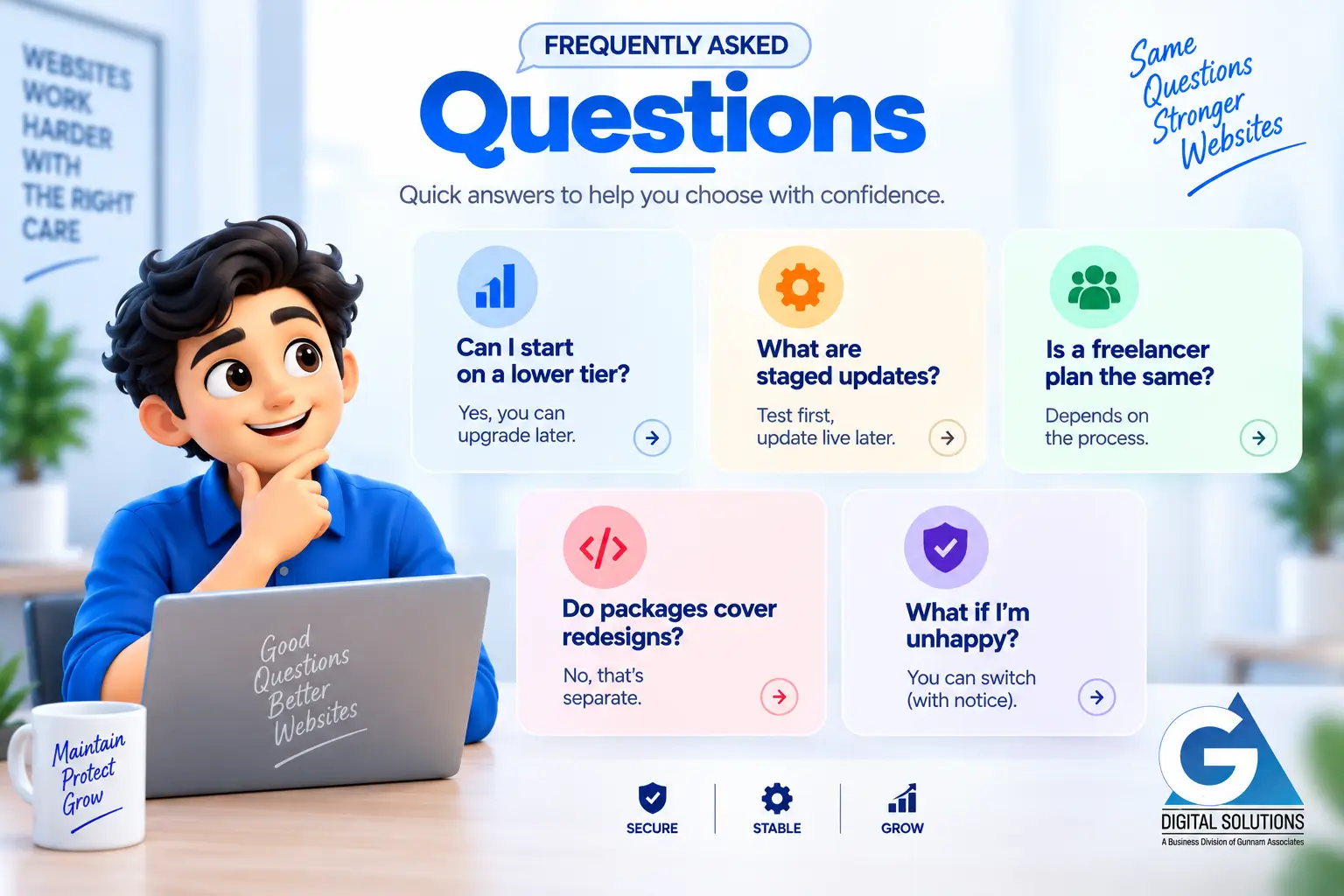
Can I start on a lower tier and upgrade later?
Yes, and this is a common and sensible approach. Starting on Essential gives you baseline protection while you assess actual maintenance needs. Most providers make upgrades straightforward. The ideal upgrade trigger is when your website begins generating consistent enquiries or revenue — at that point the risk profile justifies a more comprehensive plan.
What does “staged updates” mean and why does it matter?
Staged updates means applying updates to a private copy (staging environment) of your website first, testing that everything works, and only then applying to your live site. Without staging, a plugin compatibility conflict immediately affects visitors. Staged updates are non-negotiable for any website that matters to your business.
Is a cheaper package from a freelancer equivalent to an agency plan?
Not necessarily. Quality depends on processes and tools, not provider size. A skilled freelancer with proper staging, off-site backups, monitoring tools, and clear reporting may provide excellent maintenance. A large agency with poor processes may not. The feature matrix and provider evaluation questions apply equally to both.
Do maintenance packages cover redesigns or new feature development?
No. Maintenance packages cover ongoing upkeep of the existing website. Redesigns, new pages, and new features are development work billed separately. Most maintenance providers also offer development services, but these are distinct from the maintenance plan. Confirm this boundary explicitly in your agreement.
What happens if I am unhappy with my provider mid-contract?
Ideally you have a month-to-month arrangement or a contract with reasonable notice (typically 30 days). Key protection: ensure your domain, hosting credentials, and website files are always in your own name and accessible to you — not held by the provider in a way that creates dependency.
Summary
Website maintenance packages in India fall into three broad tiers — Essential, Growth, and Business — each appropriate for different website types and risk profiles.
Comparing packages accurately requires looking beyond price to map each plan against the features that matter for your specific website. The feature matrix in this guide provides that framework.
The most important features to verify in any package: staged updates, off-site backup storage with tested restorability, malware removal inclusion, a defined emergency response SLA, and a detailed monthly report. These features determine whether your website is genuinely protected — or just nominally maintained.
→ Get My Free Website Audit and Package Recommendation
Continue Reading
Explore the full GA Digital Solutions website maintenance guide series.
Core Guides
- Website Maintenance Services: The Complete Guide for Indian Businesses (2026)
- The Complete Website Maintenance Checklist
- How Often Should You Update Your Website?
Compare & Decide
- Website Maintenance Cost in India (2026)
- DIY vs Professional Website Maintenance
- How to Choose a Website Maintenance Company
- Website Maintenance Contract: What Should Be Included?
Local & Specialist
- Website Maintenance Services in Hyderabad
- WordPress Website Maintenance in India
- E-Commerce Website Maintenance
GA Digital Solutions is a full-service digital agency based in Hyderabad, India. We provide website maintenance, design and development, SEO, performance marketing, and lead management services to businesses across India.
