







Website Security Maintenance: How to Protect Your Business Website from Hacks and Data Breaches
Last updated: May 2026 · 8-minute read · By GA Digital Solutions, Hyderabad
Website security is not a one-time setup. It is a continuous maintenance discipline — and for the vast majority of business websites that get hacked, the root cause is not a sophisticated attack but a preventable gap in ongoing security upkeep.
This guide explains the specific security threats Indian business websites face, the maintenance practices that prevent them, and what a professional website security maintenance programme should include.
Why Indian Business Websites Are Targeted
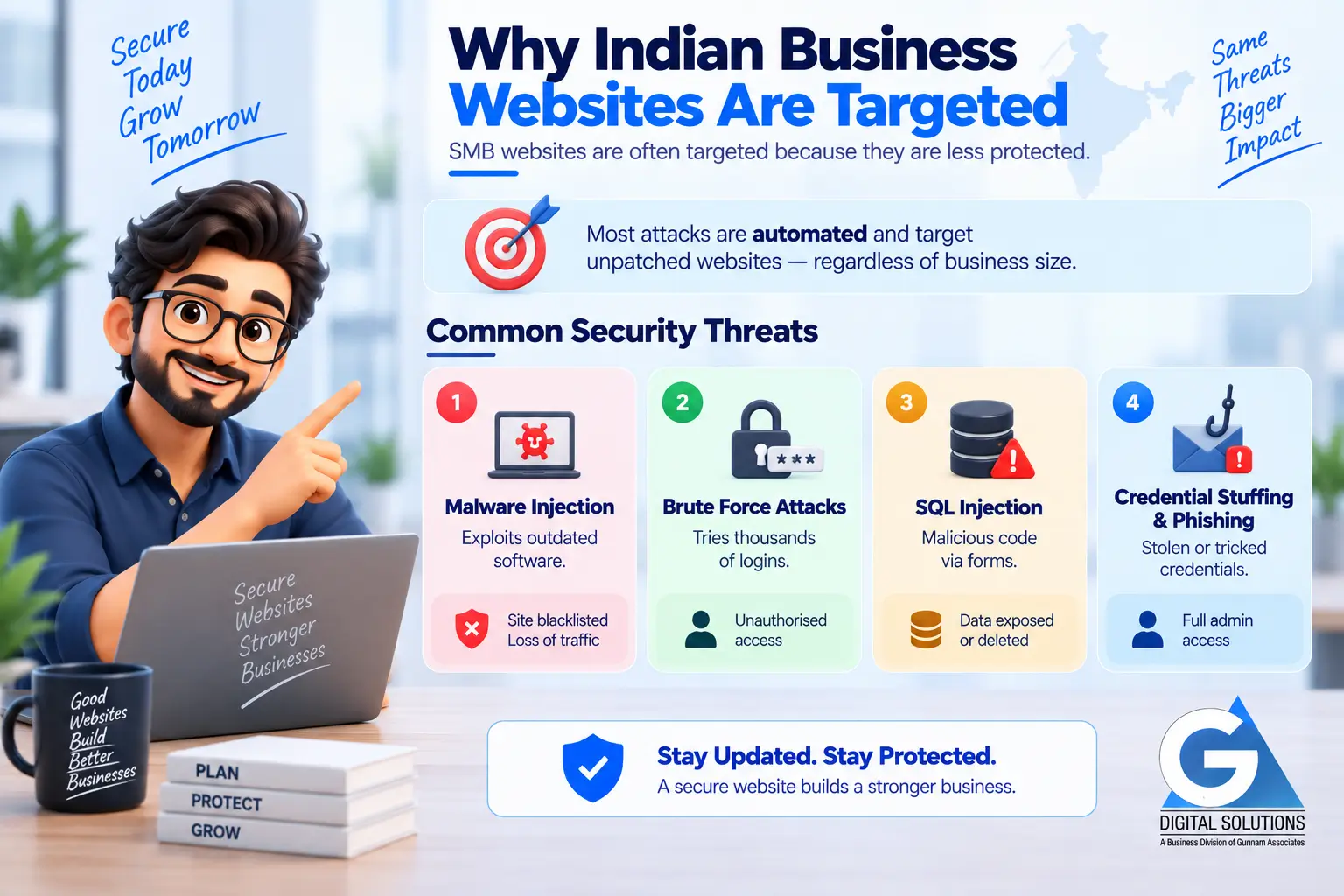
A common misconception is that hackers only target large corporations or government websites. In reality, small and medium business websites are disproportionately targeted — precisely because they are perceived as less protected.
Attacks are almost entirely automated. Scanning tools continuously probe the internet for websites running known, unpatched vulnerabilities. If your website matches a known vulnerability signature, it is targeted regardless of your business size, industry, or location.
The Four Most Common Security Threats to Business Websites
1. Malware Injection via Outdated Software
How it happens: Automated tools scan for websites running plugins, themes, or CMS versions with known CVEs (Common Vulnerabilities). Once found, malicious code is injected into website files.
Business consequence: Visitors served malware. Google blacklists the site, removing it from search results entirely. Reputation damage. Recovery cost: ₹15,000–50,000+.
Prevention: Monthly plugin, theme, and CMS updates applied via staging. Security scanning to detect injections early.
2. Brute Force Login Attacks
How it happens: Automated bots attempt thousands of username/password combinations against your WordPress login page or admin panel. Weak or default credentials are compromised in minutes.
Business consequence: Unauthorised admin access. Attacker can install backdoors, redirect visitors, steal data, or take the site offline entirely.
Prevention: Strong unique passwords + two-factor authentication. Login attempt limiting (lockout after failed attempts). Non-default admin username. Login URL change.
3. SQL Injection via Forms
How it happens: Malicious code entered into contact forms, search fields, or login inputs that is not properly sanitised. The code executes against your database, potentially exposing or deleting all data.
Business consequence: Customer data exposed. Database corrupted or deleted. Potential legal liability under India’s DPDP Act, 2023.
Prevention: Input sanitisation and validation on all forms. Web Application Firewall (WAF). Regular database integrity checks.
4. Credential Stuffing and Phishing
How it happens: Stolen credentials from data breaches on other platforms are tested against your site. Or your team members are tricked into revealing admin credentials via phishing emails.
Business consequence: Full admin access compromise. All previous protections rendered irrelevant if the attacker has legitimate login credentials.
Prevention: Two-factor authentication for all admin accounts. Regular access audits. Team awareness of phishing patterns. Password manager use enforced.
The Security Maintenance Layers
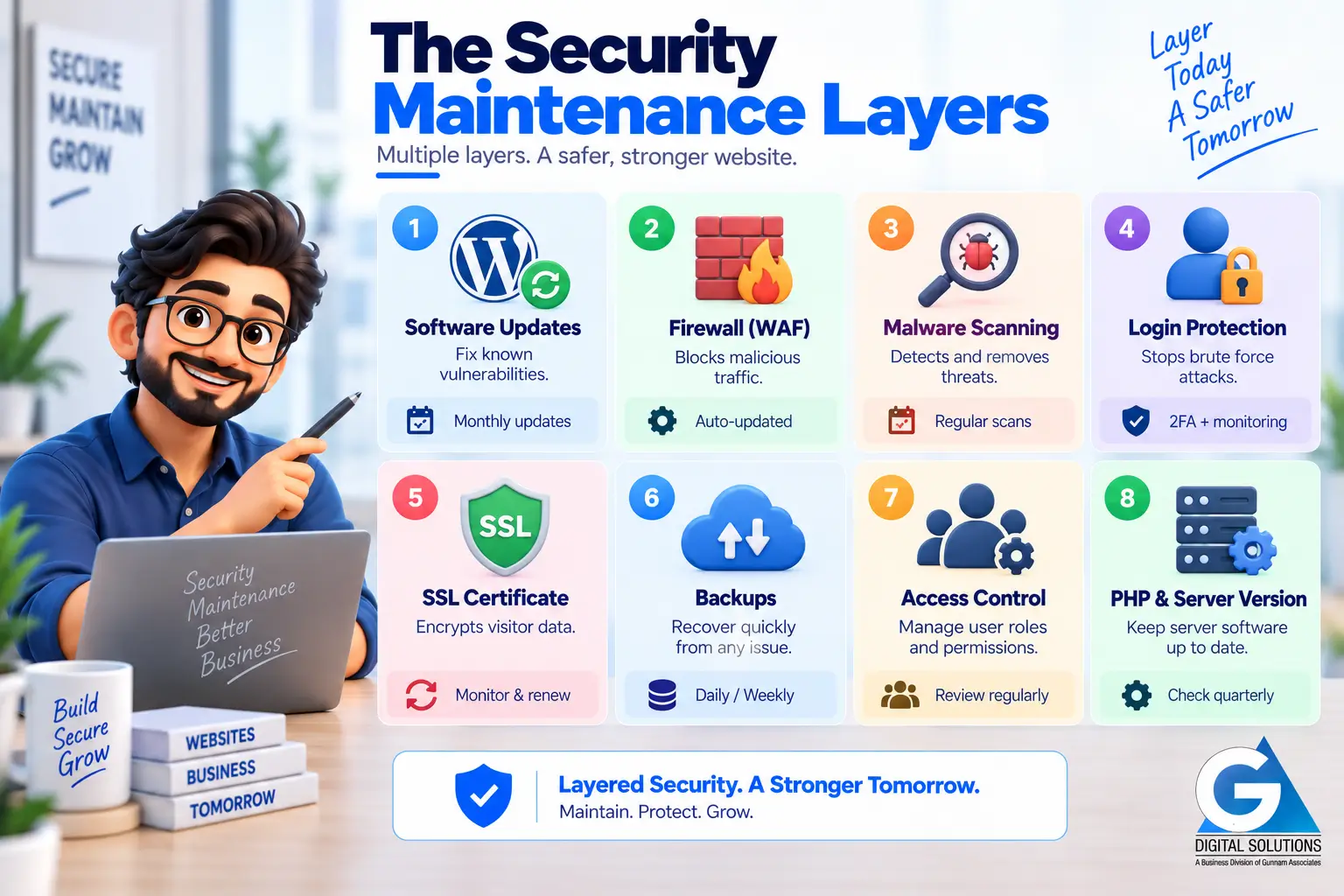
Effective website security is not a single tool or action. It is a set of overlapping layers, each addressing a different attack vector. Here is what each layer covers and how it is maintained.
| Layer | What It Does | How It Is Maintained |
|---|---|---|
| Software Updates | Closes known vulnerabilities in CMS, plugins, and themes before they can be exploited | Monthly updates applied via staging. Security-critical patches within 48–72 hrs. |
| Firewall (WAF) | Filters malicious traffic before it reaches your website. Blocks known attack signatures and bots. | Configured once; rule sets updated automatically by the firewall provider. |
| Malware Scanning | Detects injected code, changed files, and suspicious activity in your website’s file system. | Monthly minimum. Commercial scanners (Sucuri, Wordfence) provide more thorough coverage than free tools. |
| Login Protection | Limits brute force attacks. Enforces strong credentials and 2FA on all admin accounts. | Set up once; reviewed quarterly. All admin users must comply. |
| SSL Certificate | Encrypts data between visitor and server. Required for any site collecting form data. | Monitored monthly. Renewed 30–60 days before expiry. Auto-renew configured where possible. |
| Backups | Not a prevention layer — but the recovery foundation. A clean recent backup makes recovery from any incident possible. | Daily for active/e-commerce sites. Weekly for stable sites. Off-site. Restorability tested. |
| Access Control | Limits who can log in, what they can do, and removes accounts that are no longer needed. | Quarterly audit of all admin and editor accounts. Principle of least privilege applied. |
| PHP & Server Version | Outdated server-side software is a vulnerability surface. PHP 8.1+ required for secure WordPress in 2026. | Reviewed quarterly. Hosting provider updated or migrated if needed. |
The Security Maintenance Calendar
Security maintenance is not a monthly event — it spans multiple timeframes. Here is when each task should happen.
| Frequency | Security Tasks |
|---|---|
| Continuous | Firewall active · Uptime monitoring · Login attempt logging · Automated malware scan |
| Weekly | Review login attempt logs · Confirm latest backup completed · Check for security-critical plugin updates |
| Monthly | Full malware scan review · Apply all software updates (via staging) · SSL certificate status check · Review flagged firewall events |
| Quarterly | Full security audit · Admin account review and cleanup · PHP and server version check · Two-factor authentication verified for all admins |
| Annually | Review and update privacy policy · DPDP Act compliance check · Full penetration test (for high-risk sites) |
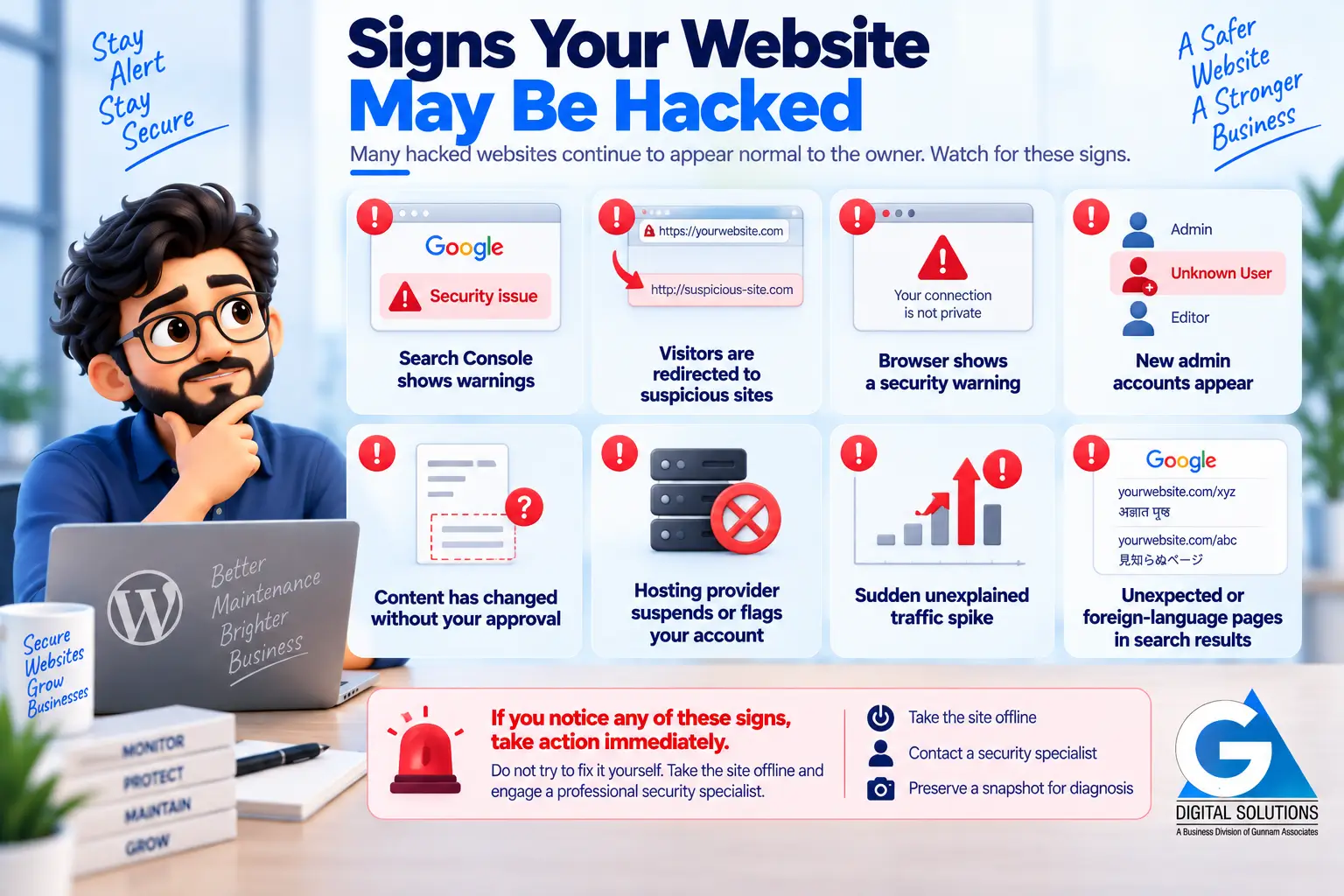
Signs Your Website May Have Been Compromised
Many hacked websites continue to appear normal to the owner. Here are the signs that warrant immediate investigation.
✕ Google Search Console shows security warnings or manual actions
✕ Visitors report being redirected to unfamiliar or suspicious websites
✕ Your browser shows a security warning when opening your own site
✕ New admin accounts appear in WordPress that you did not create
✕ Website content has changed in ways you did not authorise
✕ Hosting provider suspends or flags your account for suspicious activity
✕ Sudden unexplained traffic spike (may indicate your site is serving spam)
✕ Google search results for your domain show unexpected or foreign-language pages
→ Get a Free 20-Point Website Security Audit — No Cost, No Obligation
We check your website against 20 security and maintenance indicators and deliver a plain-language report within 2 business days.
Frequently Asked Questions
Yes. A security plugin (like Wordfence or Sucuri) is one tool in the security maintenance stack — specifically for scanning and firewall. Security maintenance also includes software updates, access control, backup management, SSL monitoring, and regular human review of what the tools are finding. Installing a plugin without maintaining everything else is partial protection at best.
Partially. Hosting providers typically secure the server infrastructure — the environment your website runs in. They do not maintain your website’s software (plugins, themes, CMS), manage your admin credentials, or recover from a hack caused by outdated code. Server-level security and website-level security are separate responsibilities.
Yes. The Digital Personal Data Protection Act, 2023 introduces obligations for businesses that collect and process personal data of Indian residents. If your website collects names, email addresses, phone numbers, or any other personal data through forms or accounts, you have data protection responsibilities. Maintaining proper website security is part of fulfilling those obligations. Consult a legal advisor for specific compliance guidance.
This depends on the severity and how quickly it is caught. A hack caught within 24 hours with a recent clean backup may be recovered in 1–2 days. A hack discovered weeks later, with no clean backup and deep file infections, may take a week or more and still result in data loss. This is why early detection through continuous scanning and monitoring is far preferable to reactive recovery.
Yes. Malware removal is fully included for all active maintenance clients at no additional charge. Our monitoring systems are designed to detect infections early, and our response protocol begins within 2 hours of a confirmed security incident for active clients.
Summary
Website security maintenance is not a product you buy once — it is an ongoing discipline built from overlapping layers: software updates, firewall, malware scanning, login protection, SSL monitoring, access control, and regular human review.
For Indian business websites, the most common entry point for attacks is outdated software with known, publicly documented vulnerabilities. The fix is consistent, staged updates applied before those vulnerabilities are exploited.
A professional maintenance plan that explicitly includes security scanning, malware removal, and security hardening is the most efficient way to manage this risk — without requiring technical expertise from the business owner.
→ Get My Free Website Security Audit — Know Exactly Where Your Site Stands
Continue Reading
Explore the full GA Digital Solutions website maintenance guide series.
Core Guides
- Website Maintenance Services: The Complete Guide for Indian Businesses (2026)
- Why Website Maintenance Is Important: 10 Risks of Neglecting Your Site
- What Happens If You Don’t Maintain Your Website?
WordPress & Technical
GA Digital Solutions is a full-service digital agency based in Hyderabad, India. We provide website maintenance, design and development, SEO, performance marketing, and lead management services to businesses across India.
